Start with a result.
Write what you want to complete, choose 25, 50, 90 minutes or a custom block, then shape a two-to-four-step plan.
Turn a clear outcome into a short plan, focus in Chrome’s side panel, and leave with a useful handoff for the next session.
Download Chrome beta 0.2.7No account · No blockers · Local install in Developer mode · Not yet in the Chrome Web StoreA resilient focus timer and session notes sit beside your work, ready when you need them.
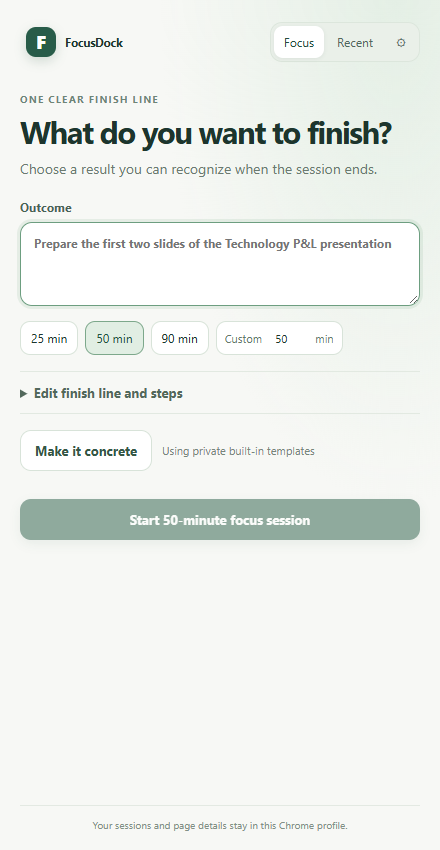
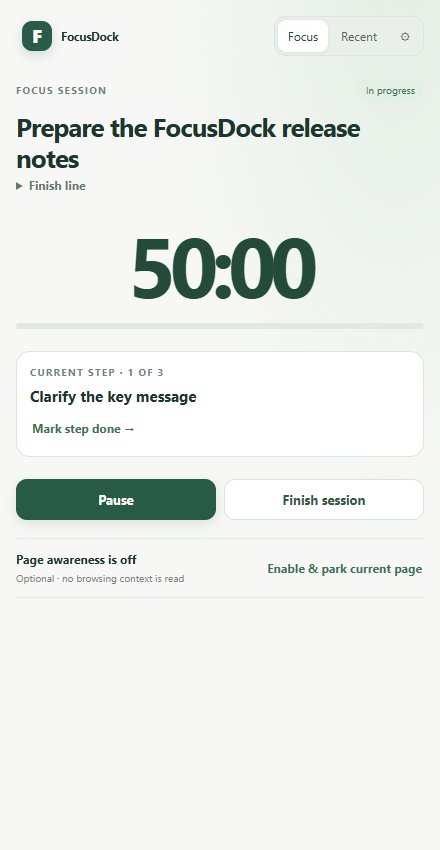
Write what you want to complete, choose 25, 50, 90 minutes or a custom block, then shape a two-to-four-step plan.
Watch your tree grow one leaf per focused minute, or open the synchronized pop-out timer. Your session keeps running when the panel closes.
Capture what moved forward, what remains open, and the next step. Copy the handoff yourself; nothing is sent automatically.
Page awareness is optional. FocusDock never reads page contents or blocks websites. Chrome’s built-in on-device model is used only after you request it; local templates work when it is unavailable.
Read the privacy policy →No. Optional page awareness uses only the active tab’s title and address. It does not inspect page contents or inject scripts. It needs separate Chrome tab permission.
No. It measures the focus-session timer, including time while the side panel is closed. It does not calculate per-tab or active browsing time.
No. AI assistance is only invoked when you request it and uses Chrome’s built-in on-device model when available. Local templates work without it.
In this Chrome profile on this device. FocusDock has no account or cloud sync in this preview. You can export or delete local data in Settings.
Download and extract the ZIP to a folder. In Chrome, open chrome://extensions, enable Developer mode, choose Load unpacked, and select the extracted folder that contains manifest.json. The beta is not yet listed in the Chrome Web Store.